Microsoft Conditional Access Policy
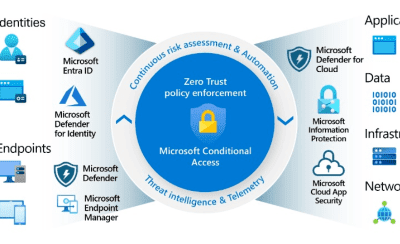
CA are security policies used to control access to applications, data and resources based on specific conditions. The goal is to ensure that only authorized users can access sensitive data and applications. Here some policies you should to deploy in your environment…
- Migrate from manually configured Per-User MFA to centralized MFA using Conditional Access.
- Block legacy authentications due to deprecations (see MS Alert for September 2025).
- Enforce MFA for all guest accounts to protect your security boundary.
- Protect all users who do not need access from countries outside the company’s operational locations, reducing the risk of data exfiltration, phishing attacks and enabling a quicker response by authorities.
- Enforce MFA for administrators and critical users using FIDO2 Passkey.
- Create a Conditional Access policy to block any access for users who are members of a specific security group, then add if the account has been compromised.
- Exclude Break-Glass User and Synced Service Account for all CA policies, protect first one with FIDO2 Passkey.